Guides
How to create different types of logos with Logo Lattice - from sharp geometry to negative space.
Export
7 min readHow to export logos, app icons, and social images
Use the export dialog to download SVG, PNG, favicon packages, social presets, and Studio app icon zips - with live preview and optional selection export.
Square grid
4 min readHow to create geometric logos
Use the square grid and snapped polygon tool to build sharp, symmetrical marks from simple shapes.
Isometric grid
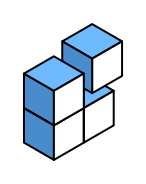
5 min readHow to create isometric logos
Switch to the isometric grid to draw marks that look three-dimensional - cubes, blocks, and stacked forms.
Open strokes
4 min readHow to create line and stroke logos
Build outline marks, monoline icons, and lettering strokes with the open stroke tool and careful stroke width.
Curves
5 min readHow to create curved and organic logos
Soften hard edges with curve segments and corner fillets for friendlier, more organic marks.
Cutouts
4 min readHow to create negative-space logos
Use the cutout brush to punch transparent holes through filled shapes and build clever negative-space marks.